Public inquiry form
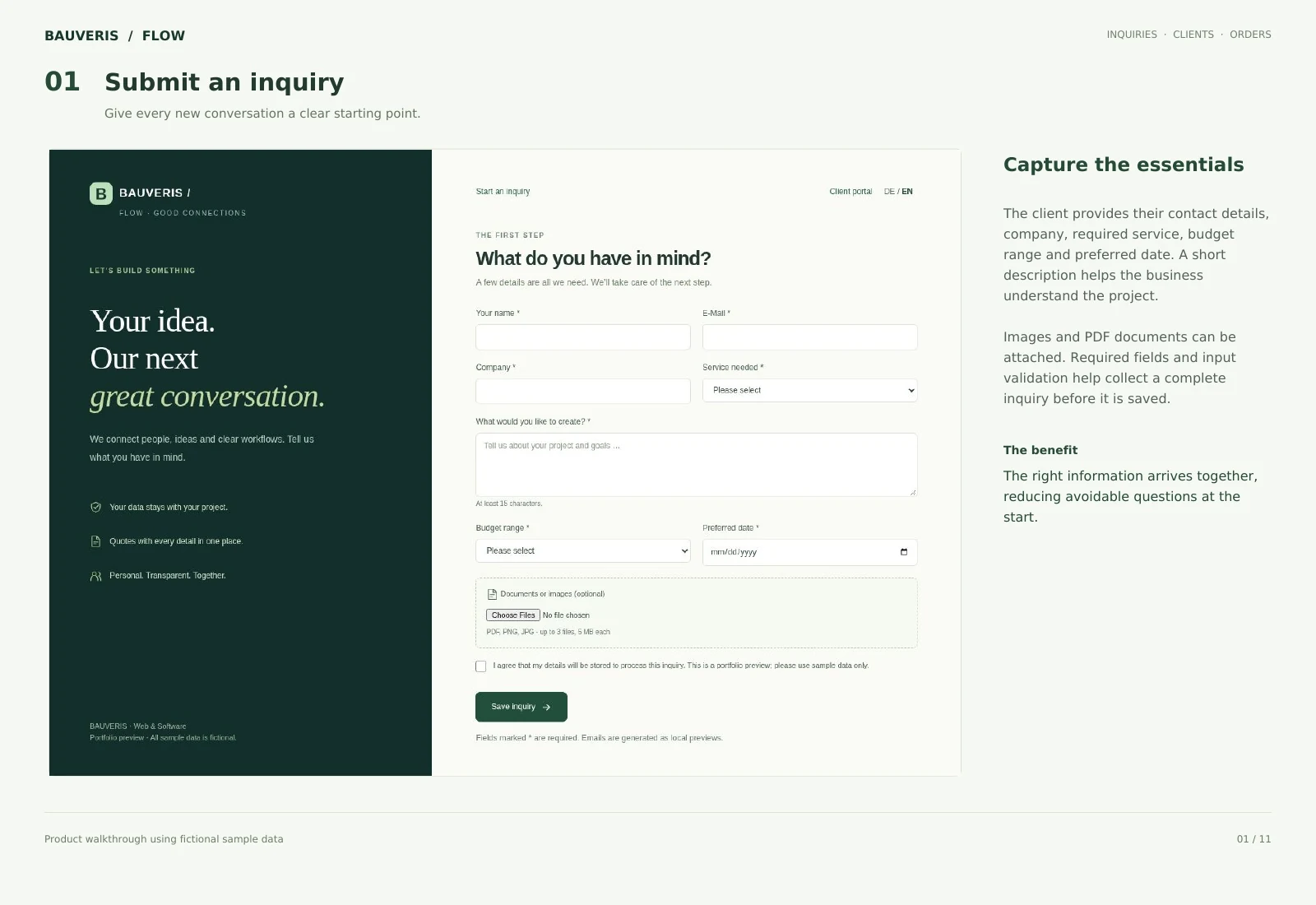
Structured fields, required-field checks and optional images or documents capture the customer’s requirements directly from the website.
BAUVERIS Flow connects the first inquiry with client records, quotes and orders. A coherent workflow for service businesses: the team organises the work internally, while clients review quotes, documents and decisions in their own portal.
German & English · Customisable
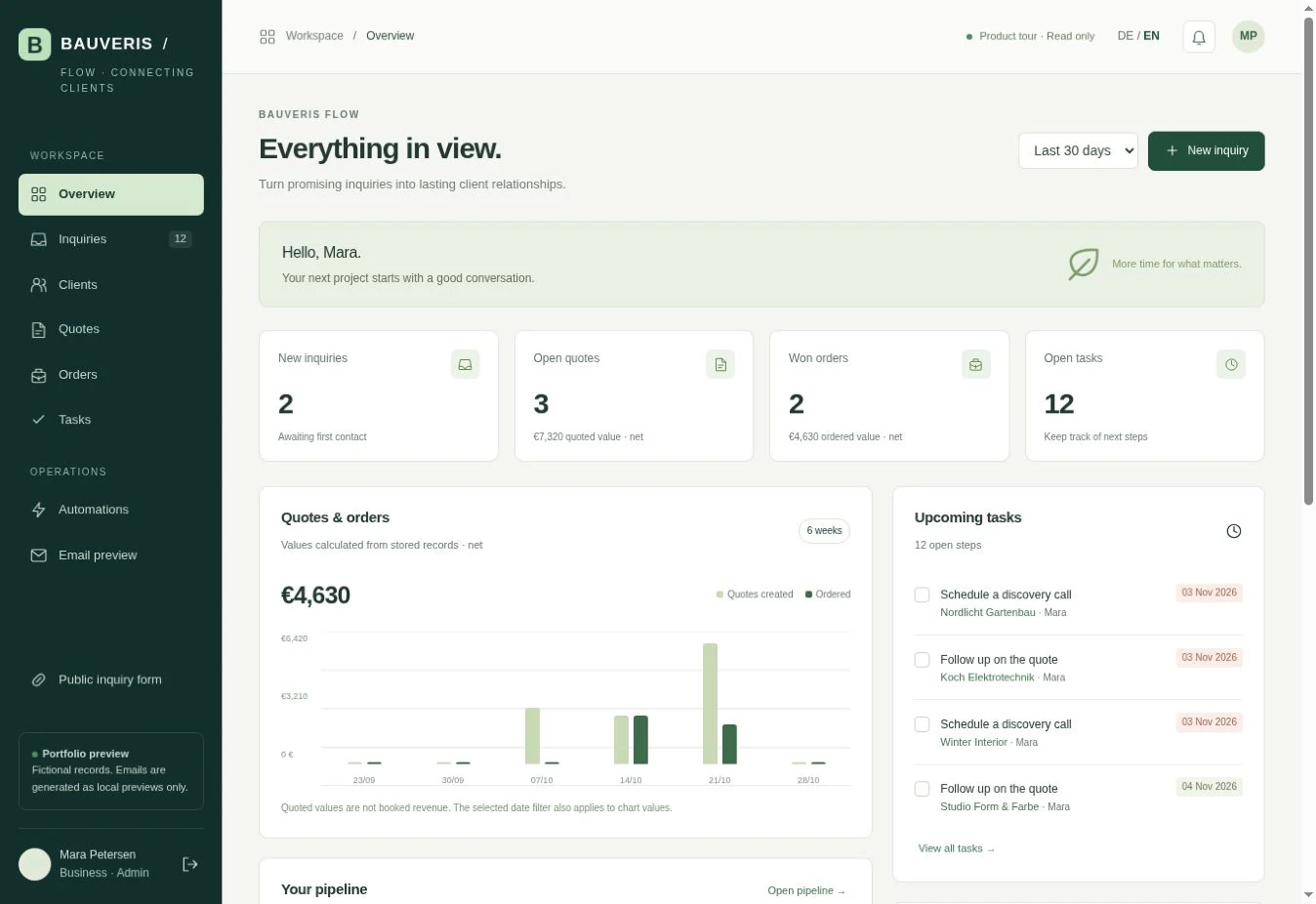
Every inquiry should arrive with context and an owner. Flow connects that information with a client record, supports quote preparation and records the decision through to a linked order.
Structured fields, required-field checks and optional images or documents capture the customer’s requirements directly from the website.
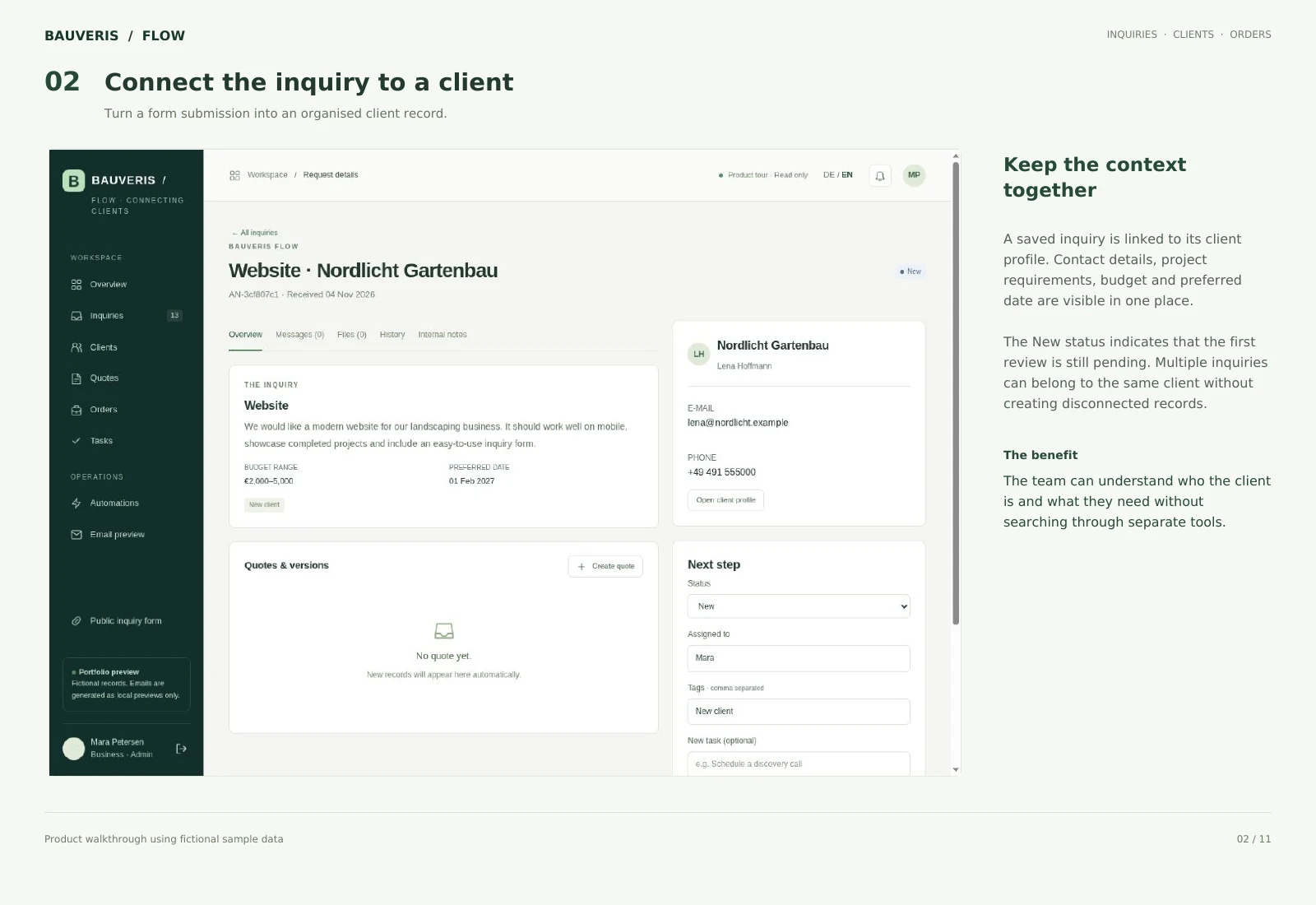
Link inquiries with clients and keep contact details and activities available in context.
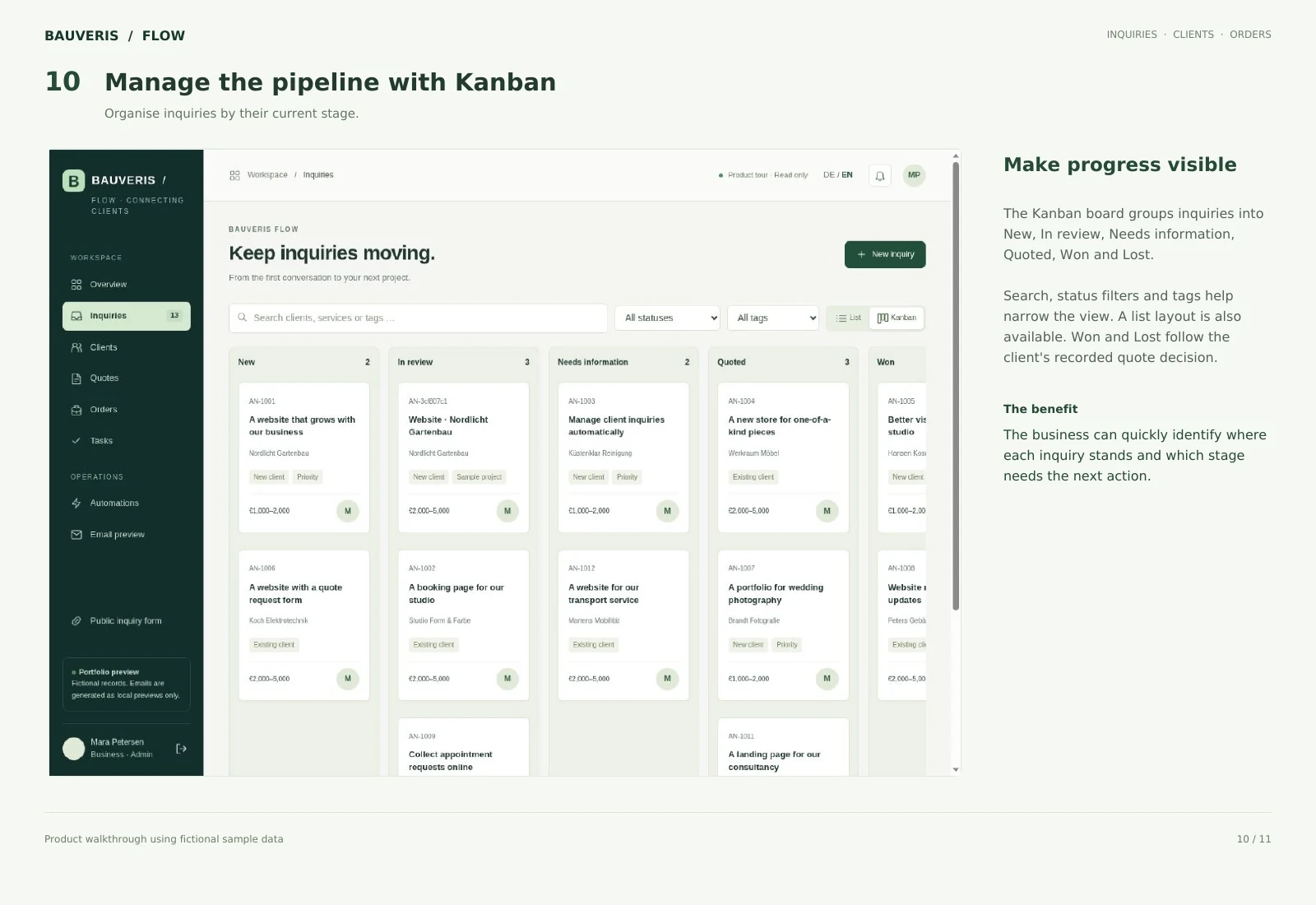
Review incoming and active inquiries with search, filters and status-based organisation.
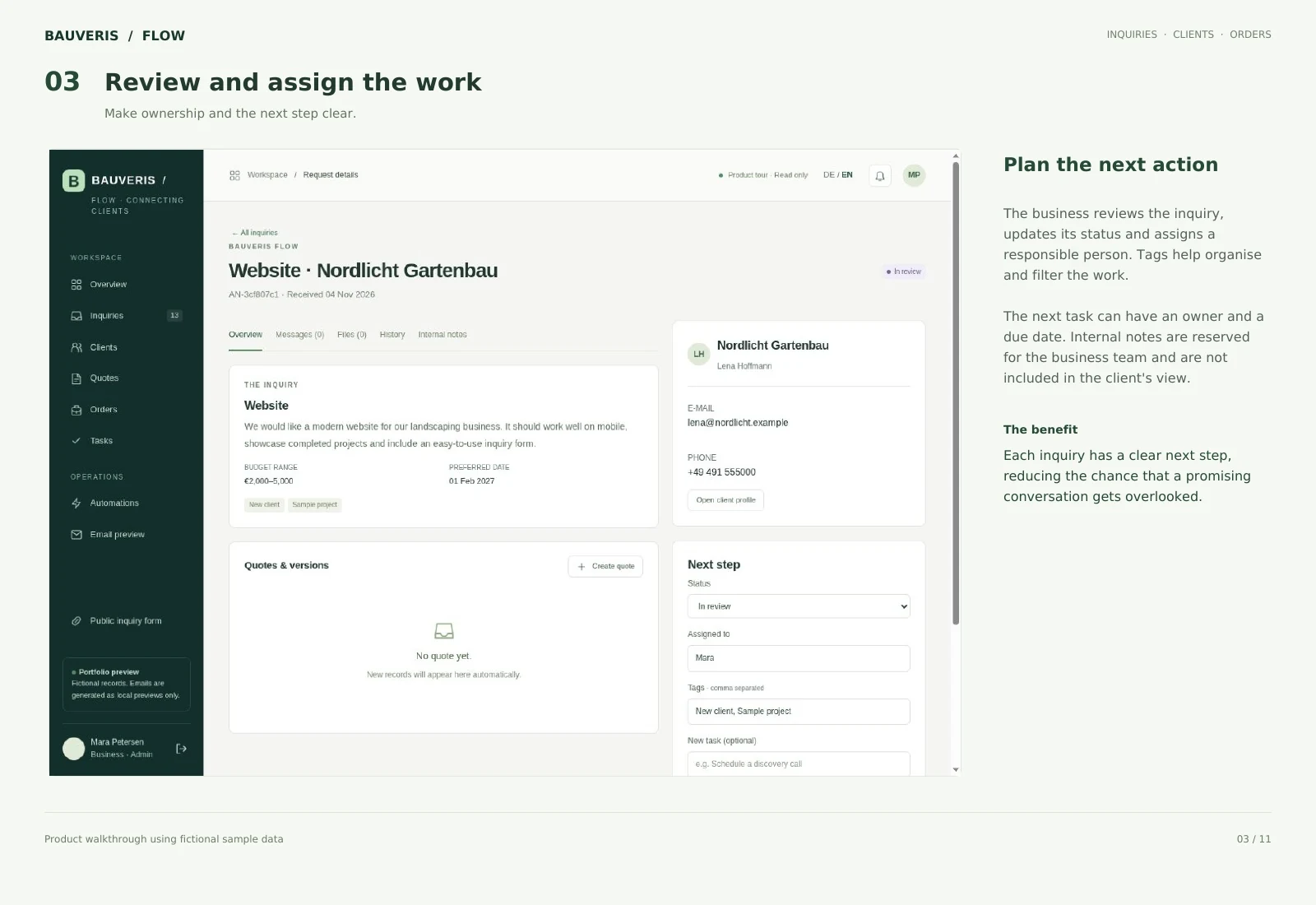
Assign an owner, tags, next tasks and due dates so the team can see who handles each step.
Keep additional information with the record and follow changes and processing steps in the activity history.
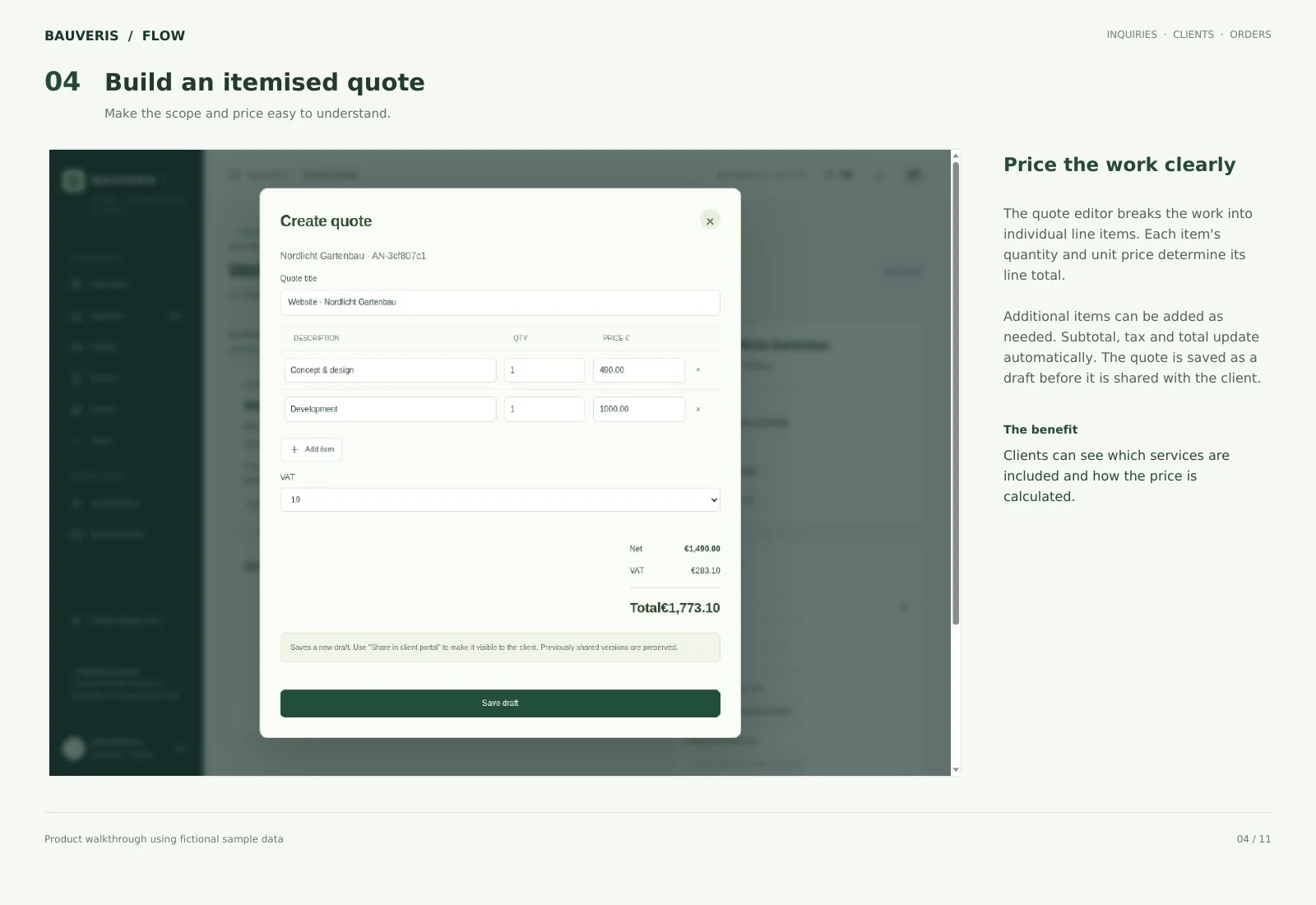
Enter services, quantities and unit prices. Line totals, tax and the final amount are calculated in the editor.
Export quotes as PDF and retain traceable revisions. Shared quotes remain linked to the relevant inquiry.
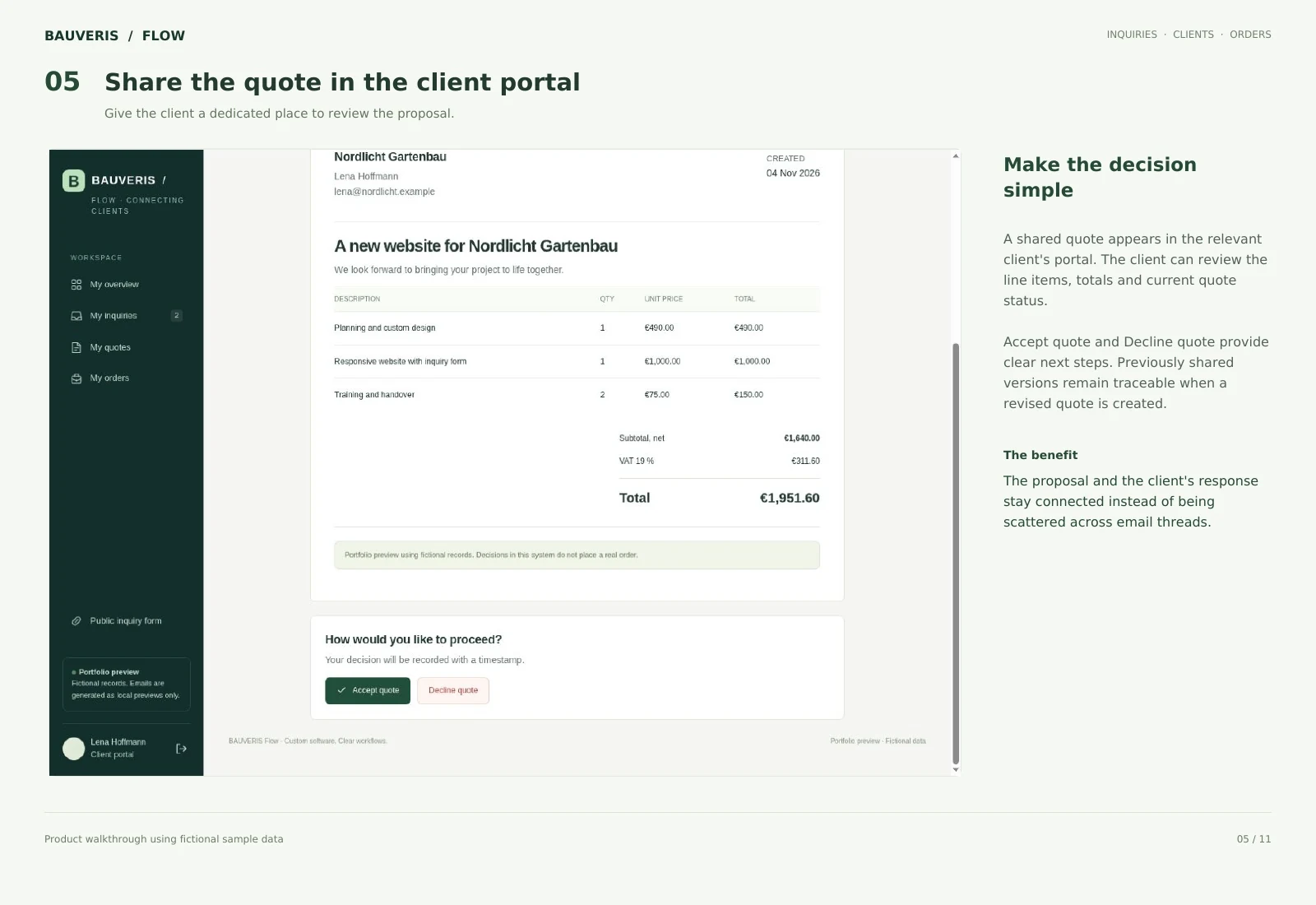
Clients sign in to their own view and access the information and quotes shared with them.
Keep images and documents with the relevant record. Protected downloads and contextual messages support the exchange.
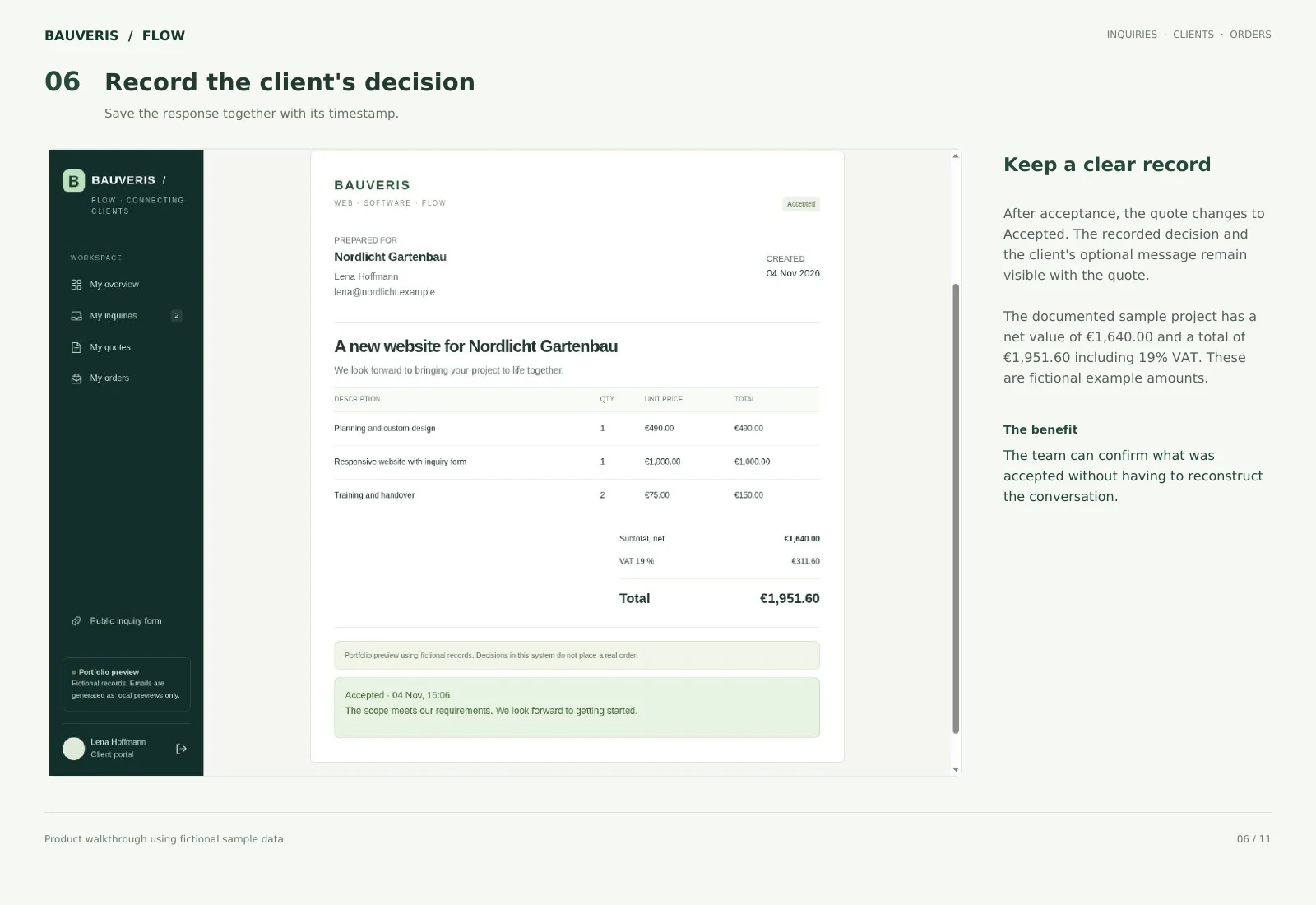
Clients accept or decline a quote, with the decision and its timestamp recorded.
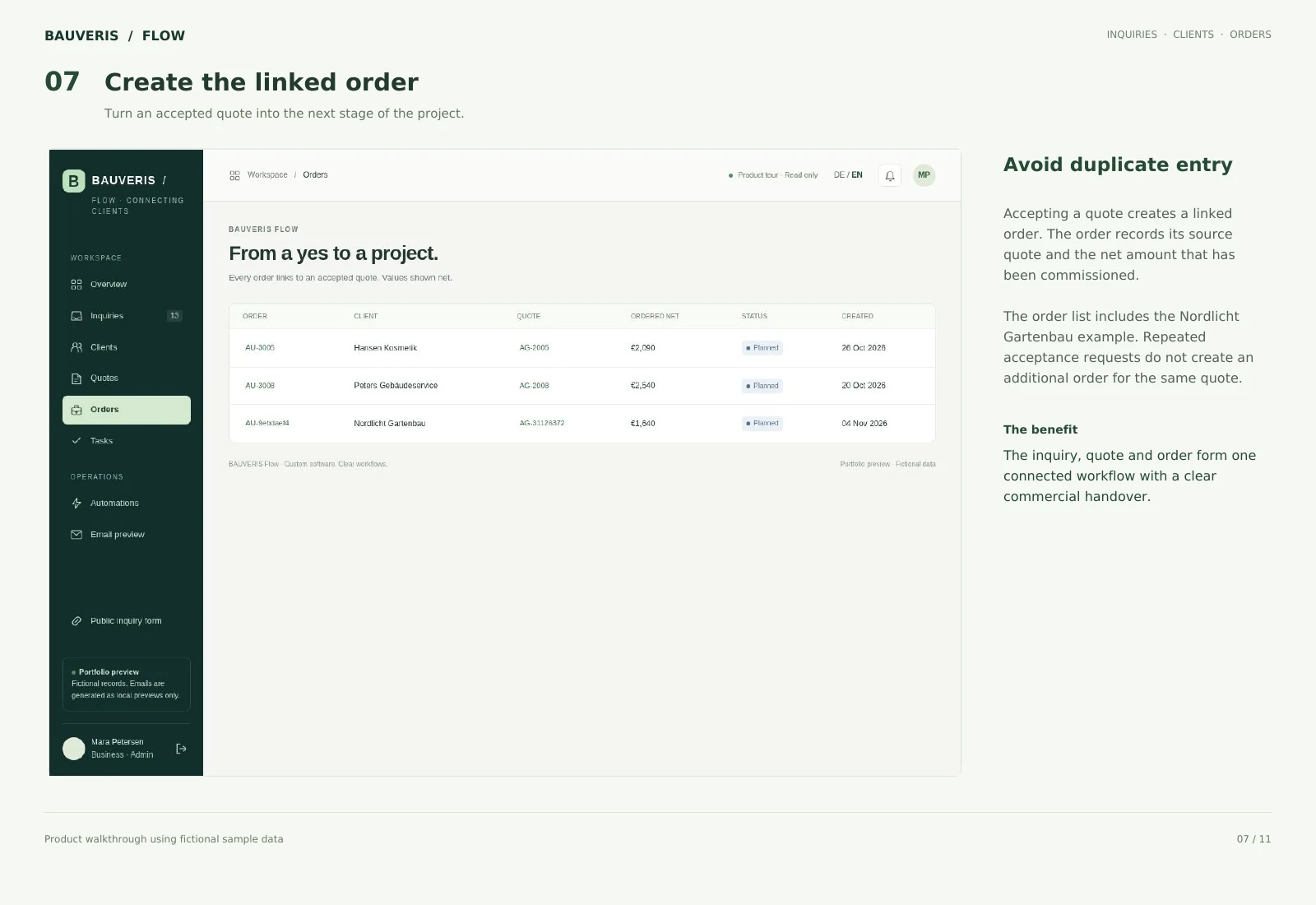
An accepted quote creates a corresponding order. Repeated actions are handled to prevent duplicate orders.
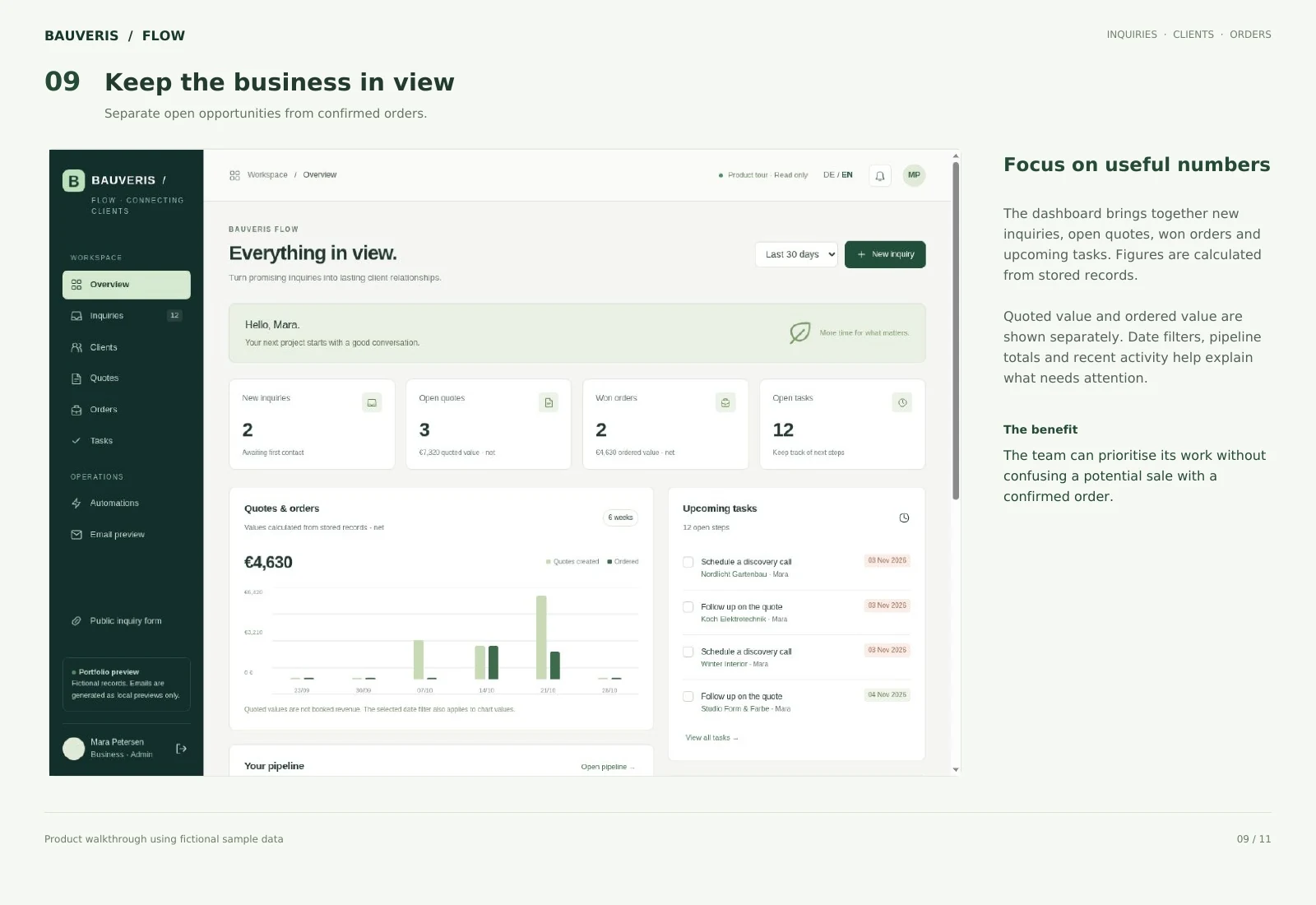
Quoted value and confirmed orders are shown separately, alongside inquiry, quote and order activity.
Node.js and SQLite provide the data foundation. Server-side checks separate client accounts and protect shared files.
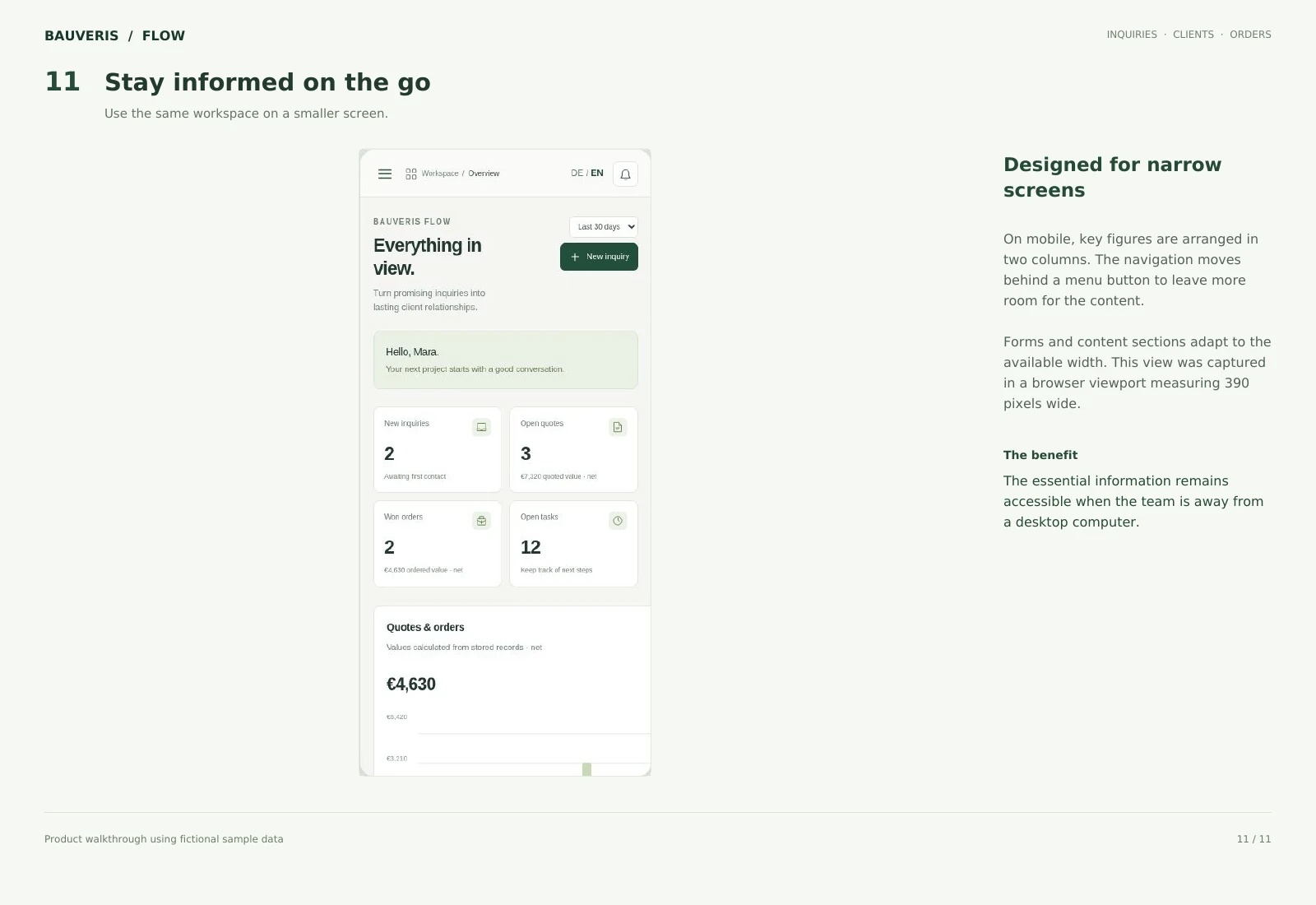
Responsive views support the workflow on desktop and narrow screens, with English and German interface options.
The production setup configures and checks your email provider, sender identity and agreed notification workflow.
Forest-green navigation, light surfaces and clear typography keep longer records readable. Lists, Kanban, quotes and the client portal remain part of the same connected workflow.
Product planning, interface and backend development, database modelling, access checks, quote output and agreed setup come from one direct provider.
A customer submits an inquiry and relevant documents. The team reviews it, assigns ownership and prepares a quote. The client opens the quote in the portal and decides online. Acceptance creates a linked order, while the activity history and dashboard support the next stage.
Explore the views, features and connected workflow.
These English images explain the sample workflow and supporting views.

Describe your current workflow and the next step you need. BAUVERIS works with you to define scope, technical requirements and an appropriate implementation.